How to see competitor sales on TikTok Shop, from the listing itself
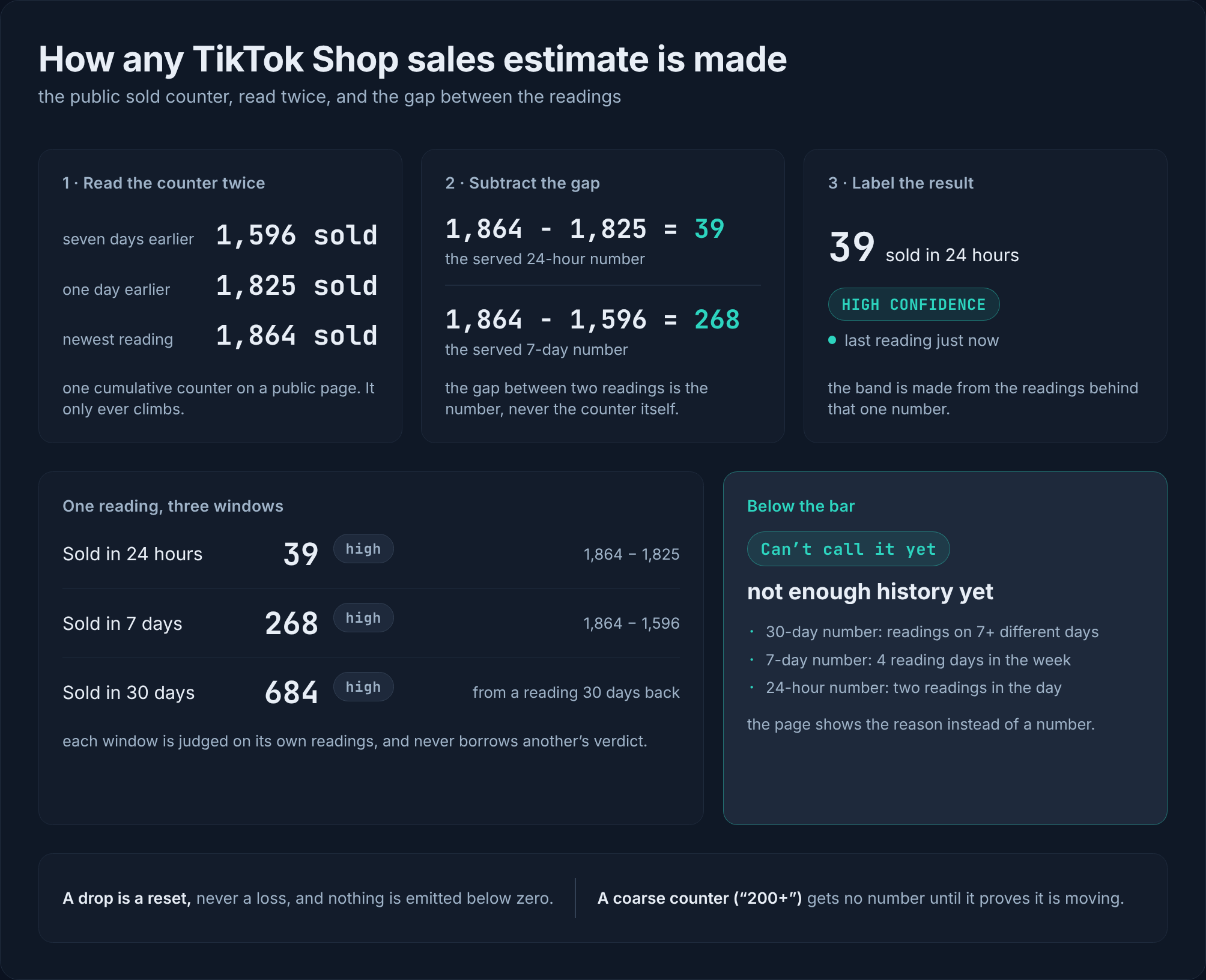
The sold number for a rival's TikTok Shop listing is public on their own page. The units that sold is the gap between two checks of it, and every figure carries a confidence and a freshness stamp.
Published · 4 min read
In short
You can see how fast a rival's TikTok Shop listing is selling from the listing itself, without asking anyone. The public sold counter on their page is a running total, so the units that sold is the gap between two checks of it, and re-checking the listing on a schedule keeps that number current. Every figure arrives with a confidence label and a freshness stamp, and a thin listing gets an honest "not enough history yet" instead of a guess.
You can see how fast a rival's TikTok Shop listing is selling, from the public sold counter on their own listing page, and find out the moment it moves instead of weeks later from your own orders slowing. The counter is a running total, so the units that sold is the gap between two checks of it, and a listing re-checked about every 6 hours keeps that number current, with a confidence label and a freshness stamp on every figure.
That last part is the one sellers live without. A rival's move usually reaches you as your own orders slowing, long after the undercut is weeks old. This post follows the counter from the page, to the number, to the moment it moves.
The method is public: how SoldCount counts. The rest of this post stays with the counter itself.
The number that is already public
Every TikTok Shop listing page shows a sold counter. It is the running total for the listing, the same figure any shopper sees, and it is a public signal of how much that listing has actually sold.
Your own back office gives you nothing on a rival's shop, and TikTok's official API only serves sellers managing their own stores, so it gives you nothing on competitors or on the wider market (Apify). That leaves the listing's own page as the source, which is exactly where the number already is.
The counter is cumulative: it climbs as the listing sells.
Reading the counter into units that sold
A running total is not a daily figure, so the units that sold is the difference between two checks of it. Check the counter today, check it again later, and the difference is what sold in between. That is the whole method: the counter is checked again and again, and the change between the checks is what is measured, not guessed (methodology).
The honest catch is that the total is a total. It tells you how much the listing has sold, not when each unit sold, and by hand you only know it as well as your last check was.
Why finding out late is the actual cost
Sellers describe the failure this way: most sellers look at competitors too late, and only notice a shop after its product has already gone viral. By then, the easy money is usually gone (EchoTik).
The delay is not a discipline problem. The number lives on a page you do not visit every day, and nothing in your own back office tells you it moved. So the check has to happen without you deciding to do it, and it has to reach you.
Keeping the number current
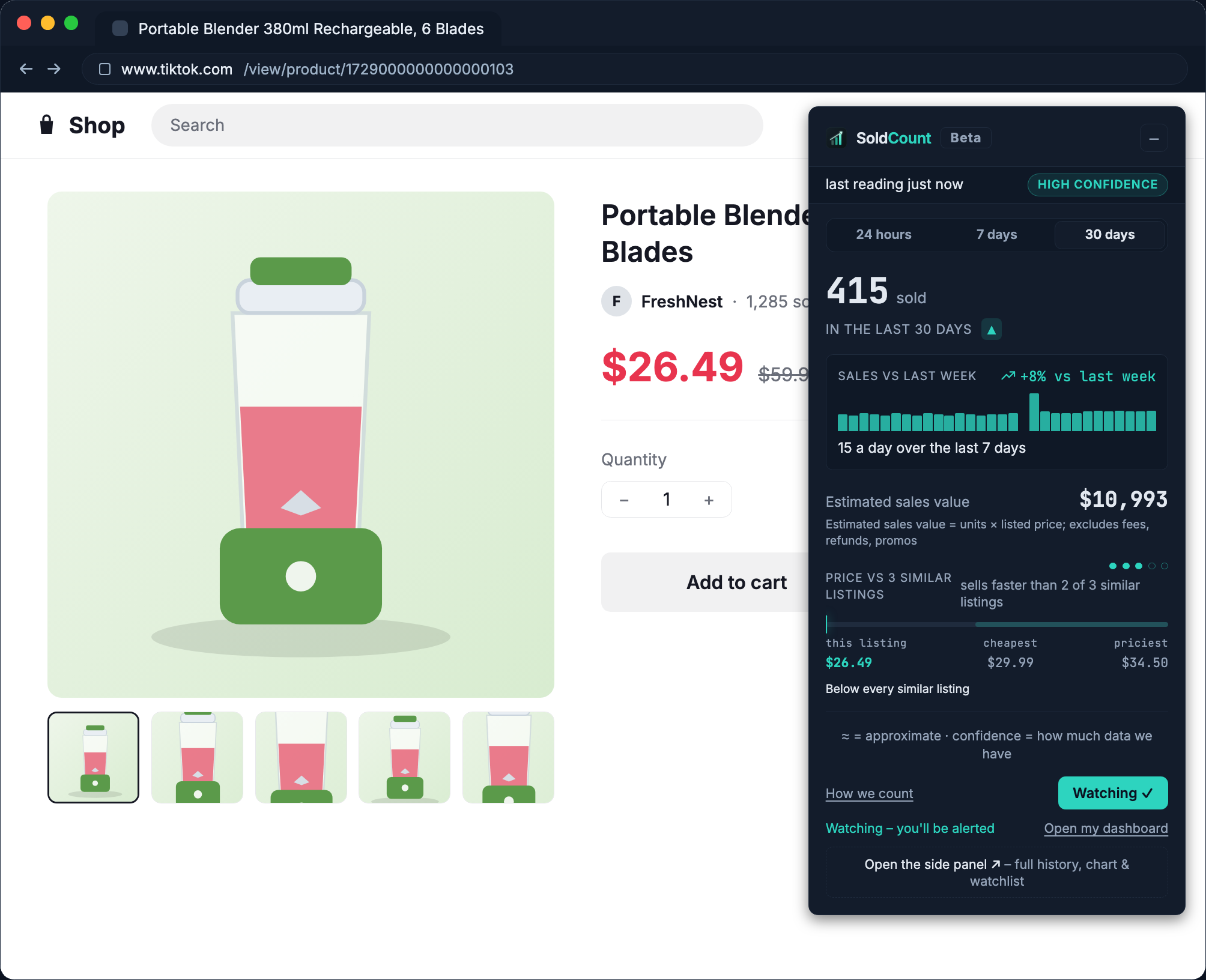
The fix is to stop checking the counter once and start checking it on a schedule. The listing is re-checked about every 6 hours, so a change is measured between checks instead of guessed from memory, and each figure arrives with a confidence label and a freshness stamp: how sure it is, and how old the check behind it is (methodology).
Where the history is too thin to call it, the honest answer shows instead of a number: "not enough history yet." That refusal is the point, because the number you act on is one you can trust.
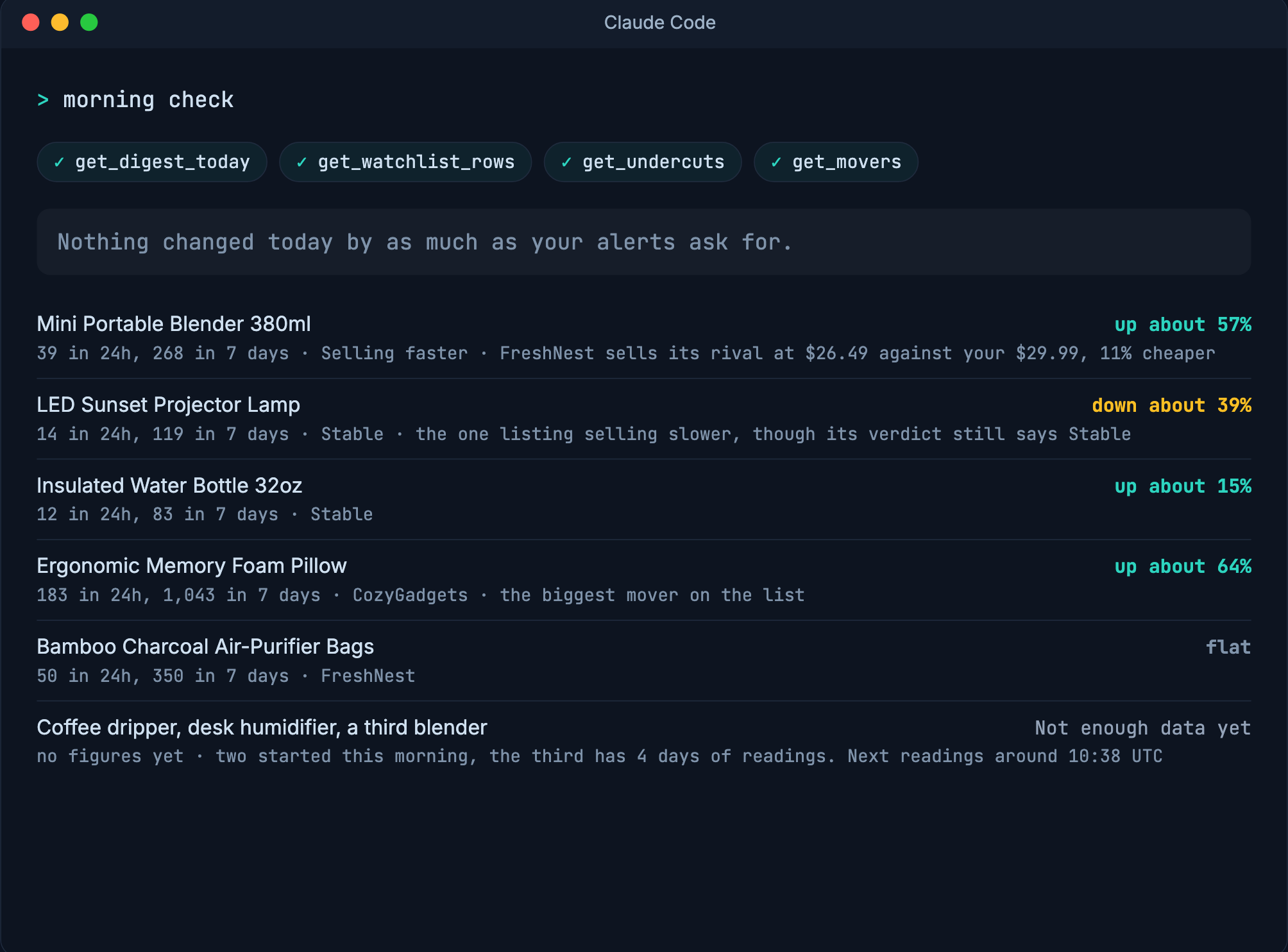
And when a watched listing actually moves, the alert comes to you with the exact checks behind the call: the price cut, the jump in sales, the sell-out, the moment it moves. You do not check a portal, and you do not remember to.
What the number can and cannot do
It can show how fast a listing is selling and where its price sits among peers, a rival's just as much as your own, with confidence and freshness on every figure. It can say "not enough history yet" when the data is too thin to call it.
It is read-only. Public pages only. Never your seller login, never a write to your shop (methodology).
Open one rival listing and put it on watch. Free to start: no card, no seller login, and nothing in your shop changes.
Questions
- Where does the number for a rival's listing come from?
- From the public sold counter on the listing's own page, the same one any shopper sees. SoldCount checks it again on a schedule, about every 6 hours, so the change is measured, not guessed.
- Can I trust the figure it shows?
- Every figure carries a confidence label and a freshness stamp, so you can see how sure it is and how old the check behind it is. When the history is too thin to call it, it says 'not enough history yet' instead of guessing, and every alert shows the exact checks behind the call.
- Does it need my seller login?
- No. It reads public pages only, never your seller login, and never writes to any shop.
- Is it free?
- Free to start: no card, no billing in the app today.