In short
Connect SoldCount to Claude once, then ask about any TikTok Shop listing you watch in plain words: what it sold this week, whether it is speeding up, who is cheaper than you, what changed since yesterday. The figures are counted from the listing pages themselves, every one carries how sure SoldCount is about it, and a figure that is not ready comes back as a reason instead of a guess. Setup is three steps and about ten minutes.
You are looking at a rival's listing. It says 2.4K sold. Sold since when? Sold this week, or sold once in a viral March you missed? Seller Center will not tell you, because Seller Center only knows about your own shop. Neither will the page: a cumulative counter cannot tell you about last week.
SoldCount reads the TikTok Shop listings you watch about every 6 hours and counts what sold between one reading and the next. Sales are the rises of TikTok's sold counter between our readings. A drop means the listing was reset, so we count zero and start again from there.
Connect it to Claude and you can ask about those listings the way you would ask a person.
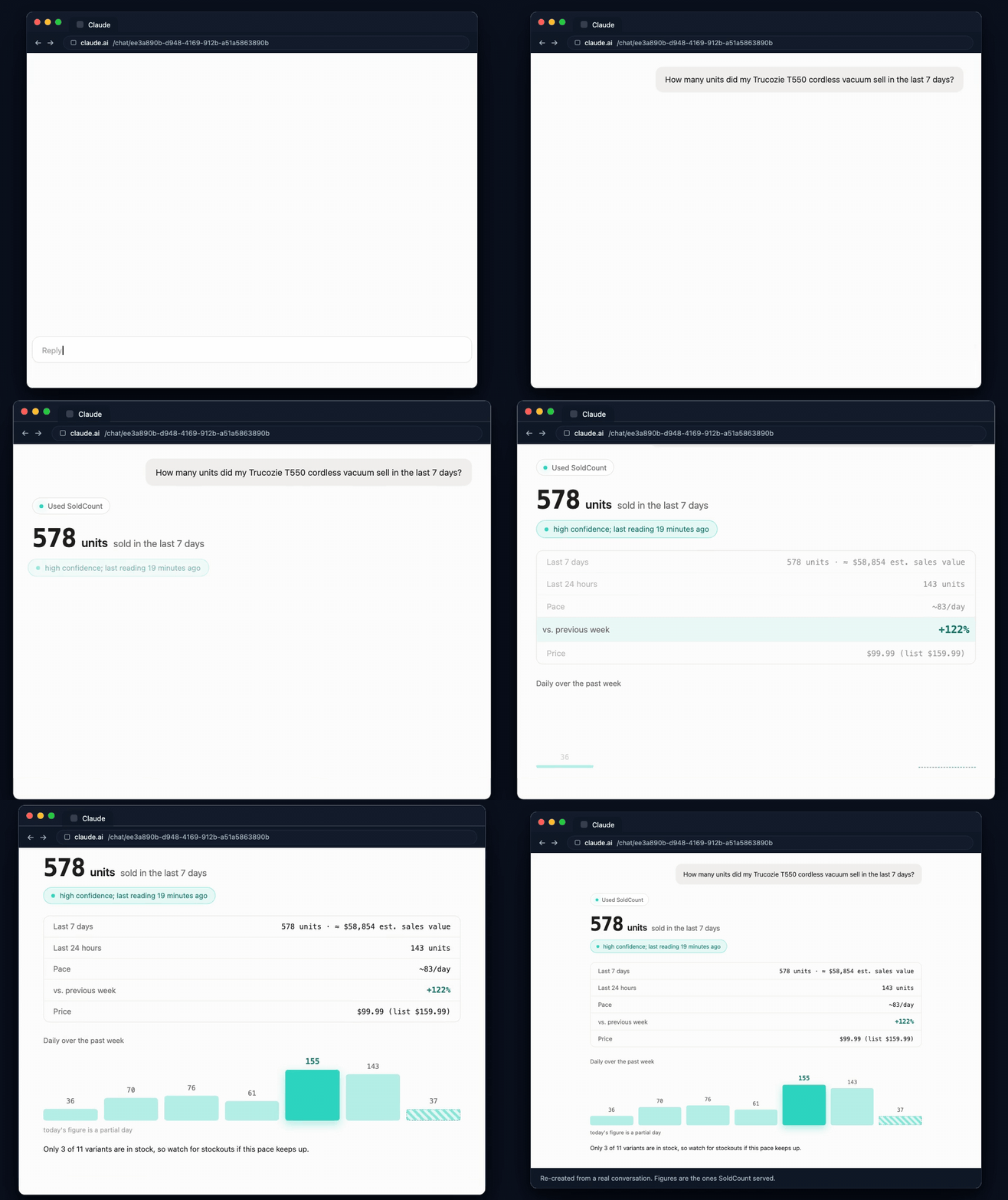
Swipe sideways to read the whole answerOpen full size
Four questions follow. Each is a prompt you can copy, what the answer actually means, what to do about it, and the part it cannot tell you. They are the reason to bother, so read them first. If you would rather start now and read after, the setup is three steps and the first answer lands about ten minutes later.
1. What did this listing sell this week?
Start with a listing you know well, so you can check the answer against what you already believe.
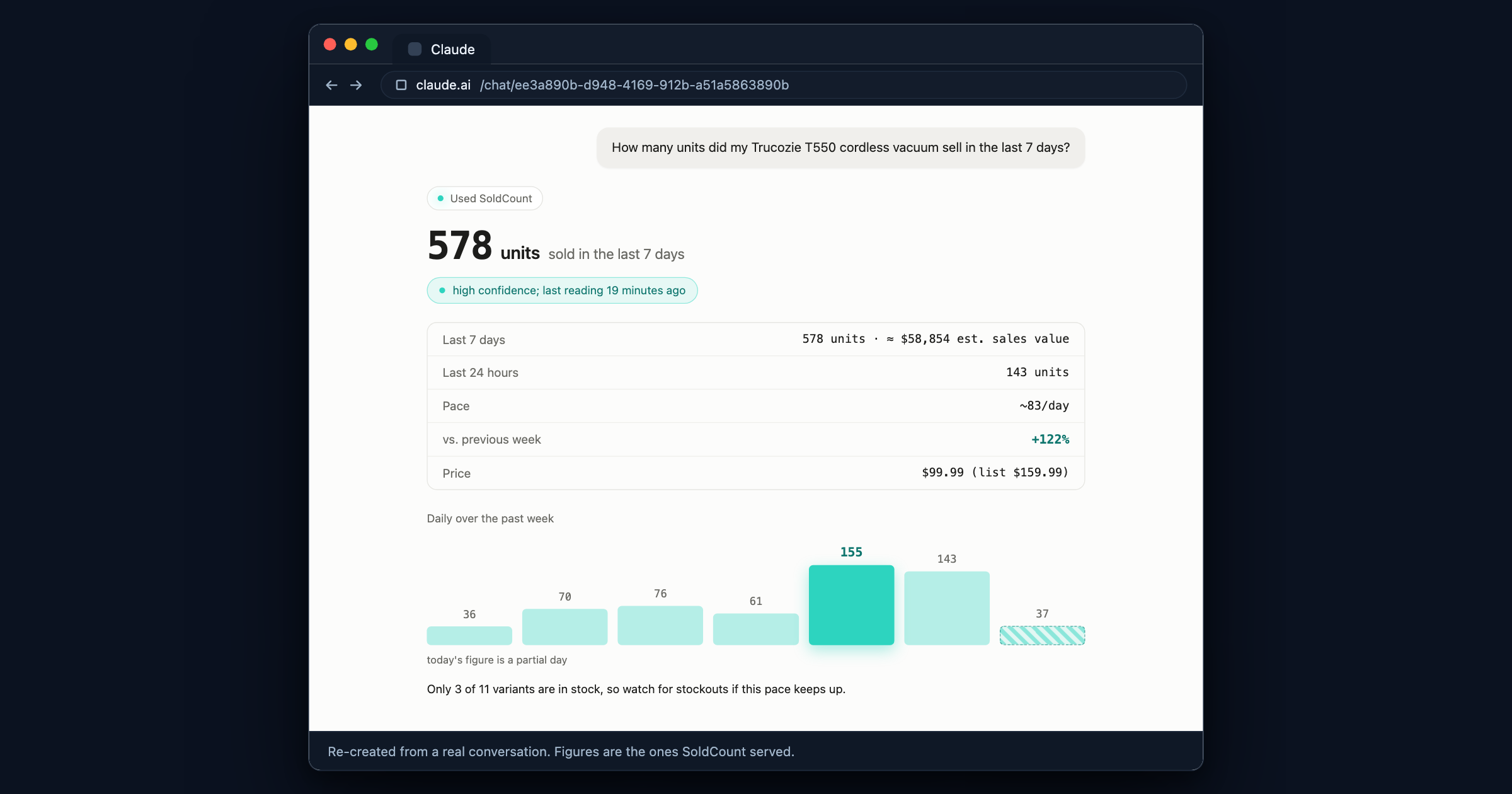
How many units did my Trucozie T550 cordless vacuum sell in the last 7 days?
What the answer means. 578 units in the last 7 days, at high confidence, last read 19 minutes ago. High on a 7-day figure is a specific claim, not a mood: the last reading landed within 24 hours, the listing's sold counter moves in steps small enough to measure 578 precisely rather than round to it, and the counter did not reset inside the window. The pace of about 83 a day is the 7-day figure spread across the week, and the day-by-day bars show you whether that average is real or whether one spike carried it. Here one did: 155 on the fifth day against 36 on the first. Today's bar is hatched because the day is not over, and nothing is projected forward to fill it in.
What to do about it. Two things in that answer meet. The listing is selling at about 83 a day and accelerating, and only 3 of its 11 options are in stock. That is a restock decision with a date on it, not a vague worry, and it is the kind you only see when the sales figure and the stock line sit on the same screen.
What it cannot tell you. Profit. The estimated sales value beside the unit count is units times
the listed price, and it excludes fees, refunds and promos, which is why it carries an ≈ and never
the word revenue. It also cannot tell you how many units are left, only how many options are still
available. A public page does not publish stock, so we do not pretend to know it.
2. What is a rival's listing actually doing?
This is the one Seller Center cannot do at all. Paste a TikTok Shop link and ask.
Watch this TikTok listing for me: https://www.tiktok.com/view/product/1732365250279543176
What the answer means. SoldCount recognised the product and flagged the new listing as a rival to
one of yours, so the two are set side by side. Their price is a range with an ≈ in front of it,
and so is yours: TikTok shows different visitors different prices, so one number would be a
flattering fiction. Theirs is roughly $594 to $702 against your $480 to $571. And the line that
matters most: tracked for 15 days, nothing sold.
What to do about it. Take this rival off your list of worries, and keep the rule. A price with no sales figure beside it is not information. A rival sitting a hundred dollars above you looks like proof that you are underpriced, right up until you see that nothing has sold at that price in fifteen days. Half of what feels like competitive pressure on TikTok Shop is a listing that is not selling, and you cannot tell which half from a price alone.
The practical habit this builds: watch the three or four rivals you actually fear, now, while you are calm. Each one needs a week of readings before it can be compared with last week, so a rival you add the day you panic is a rival you cannot read for another week.
What it cannot tell you. Why they are not selling. SoldCount can tell you that a listing is not moving and when it was last read; it has no view of their ads, their content or their reviews strategy. It also cannot read a brand-new listing instantly: if nobody has ever read that page, the watch is queued, SoldCount reads it within about six minutes, and the first figures arrive with that reading.
3. Which of my listings is speeding up, and which is slowing down?
Ask this on a Monday and it replaces half an hour of tab-switching.
Which of the listings I watch in SoldCount is selling faster this week, and which one slowed down?
What the answer means. Two listings were up on last week, one of them by 300% and one by 122%. And eight were not ranked at all. Seven had started tracking three days earlier, so there is no previous week to compare them against yet. One had sold nothing this week and nothing last week, which is flat at zero rather than slowing, and the answer says so rather than printing a 0% that would read like a verdict.
What to do about it. Act on the two and diarise the rest. The listing up 300% is the one to check for stock, and the one flat at zero for two weeks is the one to look at properly, because nothing at all is a result too. The eight unranked are not bad news, they are a date: come back in a week.
What it cannot tell you. A comparison for a listing you started watching on Monday. A vs-last-week figure needs readings on at least 4 days in each of the two weeks, so the earliest a new listing can be compared is after about eleven days. That is a hard floor, not a setting.
4. What changed since yesterday?
The question for a morning coffee, before you have decided what today is about.
What changed on my SoldCount watchlist today?
What the answer means. One row per listing that moved, and each row says what moved and what to look at next. The most useful line in that answer is the smallest: a rival's price went up 7.3%, from $84.20 to $90.34, and SoldCount calls it a seller reprice, not a promo. A price that rises because a promotion ended tells you nothing about anybody's intent. A price the seller chose to raise, above the range it has held all week, tells you quite a lot.
What to do about it. A rival raising a chosen price above you is permission to test your own. Elsewhere in the same summary, another listing is down to 3 of 7 options in stock and a third has its only option out of stock entirely, which is a gap in their catalogue and a week where your version is the one that can be bought.
What it cannot tell you. Anything about listings you do not watch. This is a summary of your watchlist, not a scan of the market, and it is honest about which it is.
Five questions to ask every Monday
Copy these. Each one is a single call, so the whole set costs five.
What changed on my SoldCount watchlist today?

Which of my listings is selling faster this week, and which one slowed down?

Is anyone selling the same product cheaper than me right now?

Is anyone copying my listings?

Do the categories I sell in still have room for another seller?
The third one ranks the rivals who are currently under your price, deepest cut first. The fourth looks for listings that resemble one you have marked as your own, and shows the words behind each match so you can judge it. The fifth gives a verdict per category with the three measurements behind it, or says plainly that it cannot call it yet.
Why a refusal is worth more than a number
Every tool in this market will give you a number for anything you ask. That is the problem. A number you cannot tell apart from a guess is worse than no number at all, because you will act on it, and you will never find out which ones were real.
So every figure SoldCount serves carries two things with it: how sure it is, and when it was last read. When it cannot stand behind a figure, you get the reason instead of a number. When eight of your ten listings cannot be compared yet, the useful answer is the one that names all eight.
The rules are fixed and the same for every account:
- A 7-day figure needs readings on at least 4 days of that week.
- A comparison with last week needs 4 reading days in each of the two weeks.
- A 30-day figure needs readings on at least 7 different days, and reaches high confidence at 14.
- Some listings never qualify for a daily figure. A sold counter that only moves in steps of 100 cannot produce an honest 24-hour number however long we watch it. Time does not fix that one, so SoldCount says so instead of showing a progress bar it cannot finish.
Claude is not computing any of this. It reads the same values the SoldCount app puts on the screen, so the two can never disagree, and the rules above are enforced on our side where your assistant cannot talk its way past them.
Setting it up
What you need first
- A SoldCount account. Free early access at soldcount.com, no card.
- Claude, on the web, in the desktop app, or in Claude Code.
- One listing to watch. You can add it from Claude with a link, as in question 2, so you do not need anything prepared.
Step 1. Add SoldCount to Claude
a.From the Claude directory(easiest)
In Claude, open Settings, then Connectors. Find SoldCount in the directory and choose Connect. The listing is at claude.ai/directory/soldcount.
b.By address, as a custom connector
On the same Connectors screen, add a custom connector and paste this address:
https://mcp.soldcount.com/mcpc.In Claude Code
claude mcp add --transport http soldcount https://mcp.soldcount.com/mcpThen run
/mcp, pick soldcount, and sign in.
Step 2. Sign in and read the screen before you choose Allow
Claude sends you to a SoldCount page. Sign in with the account you already have, by email or with Google. The page names what is being allowed before you agree to it, which is worth the ten seconds.
From then on Claude acts as you. It sees the listings on your watchlist and nobody else's account.
Step 3. Watch something, and ask question 1
Paste a link, ask for it to be watched, and ask what it sold. If SoldCount already holds the listing, you have an answer immediately. If it does not, you have one in about six minutes.
To stop all of it: open Automations, then Connect your AI assistant, and disconnect it under Connected assistants. The next thing Claude tries to read fails. Nothing is cached and nothing needs restarting.
Developer details. The connector is an MCP server at
https://mcp.soldcount.com/mcp. If your client cannot do the sign-in handshake, generate an access key under Automations, then Connect your AI assistant, then Access keys, then Generate key, and send it asAuthorization: Bearer sc_.... The key is shown once. Full setup, including Claude Desktop and Cursor, is at soldcount.com/claude.
What Claude can change, and what it can never touch
Claude can change your own SoldCount workspace: start or stop watching a listing, add your own labels, set how big a change is worth an alert, and silence a listing for a while. It asks your permission before it runs a change, the way it does for any tool, and SoldCount records every change in your history. You can also flag any of those actions for your own approval on the SoldCount side, which holds the change until you say yes. One is flagged that way from the start: asking for a listing to be read sooner than usual, because that spends reading budget everybody shares.
SoldCount never writes to any TikTok shop.
No listing, no price, no stock level, no shop setting. Not yours, and not anybody else's. There is no door here that leads to a shop.
What this will never show you
- Profit, fees or margins. We read public listing pages. Your costs are not on them.
- Real stock levels. What the page says is how many options are available, not a unit count.
- Ads, attribution, creator or affiliate data. A different data plane, and we do not have it.
- Your orders. We see what a shopper sees, not your Seller Center.
- Repricing. SoldCount arms the decision. You take it.
In ordinary use you will not come near the hourly limits on reads and changes either: a whole-watchlist question is one call, not one per listing.
Questions
Can Claude change anything on my TikTok shop?
No. Nothing SoldCount does reaches TikTok. No listing, price, stock level or shop setting can be changed from here, yours or anybody else's. SoldCount reads the same public listing pages a shopper sees.
Do I have to pay?
Not today. Free early access is open at soldcount.com, and there is no card to enter.
Does it work on a competitor's listing, or only mine?
Both, and the competitor case is the point. Paste any TikTok Shop link and ask Claude to watch it. If SoldCount has never read that listing, the first figures arrive with the first reading, within about six minutes.
Why does it say "not enough history yet" instead of a number?
Because the number is not there yet. A 7-day figure needs readings on at least 4 days of that week, and a comparison with last week needs 4 reading days in each of the two weeks. Until then SoldCount gives the reason rather than an estimate, and Claude passes the reason on.
Does it need my seller login?
No. It never asks for it and could not use it. Everything it reads is on the public listing page.
How fresh are the figures?
Each watched listing is read about every 6 hours. Every answer says when its last reading landed, so you always know what you are looking at.
Can I use something other than Claude?
Yes. Any AI assistant that takes a connector address works the same way. The setup guide at soldcount.com/claude covers Claude Desktop, Cursor and Claude Code.